Python
Daniel Weschke
November 19, 2018
1 Data types
type |
default value |
|---|---|
int |
0 |
float |
0.0 |
complex |
0j |
bool |
False |
NoneType |
None |
type |
default value |
|---|---|
str |
’’ |
bytes |
b’’ |
tuple |
() |
list |
[] |
dict |
{} |
set |
set() |
frozenset |
frozenset() |
2 Documenting with reStructuredText (reST)
https://www.sphinx-doc.org/en/master/usage/restructuredtext/index.html
2.1 Example for module
"""2D geometry objects.

:Date: 2019-08-07

.. module:: geometry
  :platform: *nix, Windows
  :synopsis: Geometry objects.

.. moduleauthor:: Daniel Weschke <email@example.com>


Other elements see example for functions and methods.
"""
2.2 Example for functions and methods
Data types: NoneType, bool, int, float, tuple, list, dict
"""Title and describing text of the function/method.

:param abs: absolute value
:type abs: int or float
:param verbose: print information (default = False)
:type verbose: bool

:param `*args`: optional arguments (tuple)

  * param1
  * param2
  * ...

:param `*kwargs`: optional keyword arguments (dict):

  * key1 -- description of key1
  * key2 -- description of key2
  * ...

:returns: decribing text what is returned.
:rtype: tuple

:ivar result: description of the internal variable of the function
  or method
:vartype result: int


Further explanations.
And some inline math :math:`\\sigma`

.. math::
  c = \\sqrt{a^2 + b^2}


.. note::
  Important information for the usage.


.. warning::
  Important information for the usage.


.. rubric:: a heading without relation to the document sectioning

Even further explanations.


:Example:

>>> x = 5
>>> print(x)
5


::

  Peformatted text block, i. e. the text is displayed in a
  fixed-width font. Also good to draw
  /\
  \/


Reference marks included like [CUDB]_. The definition is under the
rubric References.

.. rubric:: References

  .. [CUDB] `Unicode Database - Blocks <ftp://ftp.unicode.org/Public/UNIDATA/Blocks.txt>`_


.. seealso::
  :meth:`other_method`
  or
  :meth:`~module.other_method` of the :mod:`module` module

Source: http://example.com
"""
2.3 Inline markup, references
Local variables, function and method arguments:
"""
*var*
"""
In general:
"""
:rolename:`content` will refer to content.
:role:`title <target>` will refer to target, but the link text will be title.
:rolename:`!content` no reference/hyperlink will be created.
:rolename:`~content.subcontent` will refer to content.subcontent but only
  display subcontent as the link text (only the last component of the target).
"""
Methods:
"""
:meth:`Queue.Queue.get` will refer to Queue.Queue.get and display
  Queue.Queue.get as the link text.
:meth:`~Queue.Queue.get` will refer to Queue.Queue.get but only display get as
  the link text (only the last component of the target).
"""
Modules and packages:
"""
:mod:`Queue.Queue`
"""
3 Read data file
3.1 Read 1d data separated by white-spaces
Example file: example.dat
0.100   0.100      8740  31.906940
0.100   0.200      8742  31.806090
0.100   0.300      8734  31.705490
0.100   0.400      8733  31.604690
Using no other modules
def read_native(file_name):
  with open(file_name) as file:
    print(file)
    for row in file:
      fields = [field.strip() for field in row.split(' ') if field.strip()]
      print(fields)

read_native(file_name)
<_io.TextIOWrapper name='example.dat' mode='r' encoding='UTF-8'>
['0.100', '0.100', '8740', '31.906940']
['0.100', '0.200', '8742', '31.806090']
['0.100', '0.300', '8734', '31.705490']
['0.100', '0.400', '8733', '31.604690']
[]
Using re module (re: regular expression, aka regex)
import re

def read_native_regex(file_name):
  with open(file_name) as file:
    print(file)
    for row in file:
      fields = re.split(r'\s+', row.strip())
      print(fields)

read_native_regex(file_name)
<_io.TextIOWrapper name='example.dat' mode='r' encoding='UTF-8'>
['0.100', '0.100', '8740', '31.906940']
['0.100', '0.200', '8742', '31.806090']
['0.100', '0.300', '8734', '31.705490']
['0.100', '0.400', '8733', '31.604690']
['']
Using pandas module
import pandas

def read_pandas(file_name):
  file = pandas.read_csv(file_name, header=None, delimiter=r"\s+")
  print(file)

read_pandas(file_name)
     0    1     2         3
0  0.1  0.1  8740  31.90694
1  0.1  0.2  8742  31.80609
2  0.1  0.3  8734  31.70549
3  0.1  0.4  8733  31.60469
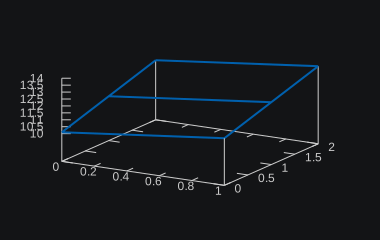
3.2 Read file of 2d data which is formatted row after row in one column
Example use case for Gnuplot: In Gnuplot the data is not arranged as sets of z values with their corresponding x and y values (’xyz’ format), but as z values whose x and y values are indicated by their relative position (’grid’ format).
1.0 |
1.0 |
10.1 |
2.0 |
1.0 |
11.2 |
3.0 |
1.0 |
12.3 |
1.0 |
2.0 |
11.4 |
2.0 |
2.0 |
12.5 |
3.0 |
2.0 |
13.6 |
import numpy as np

file = "/path/to/file"   # all x values for one y and so forth
nx = 3                   # number of points in x direction
ny = 2                   # number of points in y direction
                         # = total # of lines / # of points in x direction
f = open(file, "r")
lines = f.readlines()
x = np.zeros((nx))
y = np.zeros((ny))
z = np.zeros((nx, ny))
j = 0
k = -1
for i, line in enumerate(lines):
  line_split = line.split(' ')
  j = i%nx
  if i < nx:
    x[j] = float(line_split[0])
  if j == 0:
    k += 1
    y[k] = float(line_split[1])
  z[j][k] = float(line_split[2][:-1])
f.close()
10.1 |
11.4 |
11.2 |
12.5 |
12.3 |
13.6 |
4 Package
4.1 user site-pacakges directory
python -m site --user-site
mkdir -p "`python -m site --user-site`"
4.2 Install packages to specific directory
python -m pip install <pkg_name> -t /path/to/vendor_dir
5 Linter
5.1 Unused import
messages like
Unused Axes3D imported from mpl_toolkits.mplot3d.Axes3D [unused-import]
or
'mpl_toolkits.mplot3d.Axes3D' imported but unused (pyflakes E)
while using
from mpl_toolkits.mplot3d import Axes3D
can be suppressed by either telling your linter to ignore a statement
from mpl_toolkits.mplot3d import Axes3D # noqa: F401 unused import # pylint: disable=unused-import
or to use the module directly once with assert (to silence pyflakes)
from mpl_toolkits.mplot3d import Axes3D
assert Axes3D  # silence pyflakes
6 Sphinx
6.1 Configure doc
inside the project directory create a docs directory and go into it
mkdir docs
cd docs
inside the docs directory start the sphinx-quickstart program
sphinx-quickstart
> Separate source and build directories (y/n) [n]: y
> Project name: myproject
> Author name(s): Daniel Weschke
> Project release []: 2019.5.18
> Project language [en]:
edit source/conf.py
import os
import sys
sys.path.insert(0, os.path.abspath('../../myproject'))

# If true, the current module name will be prepended to all description
# unit titles (such as .. function::).
add_module_names = False

extensions = [
  'sphinx.ext.autodoc',
  'sphinx.ext.viewcode',
]

html_theme = 'alabaster'
pygments_style = 'solarized-dark' # monokai

html_context = {
  'css_files': ['_static/custom.css'],
}
# https://alabaster.readthedocs.io/en/latest/customization.html
# https://github.com/bitprophet/alabaster/blob/master/alabaster/static/alabaster.css_t
# https://github.com/bitprophet/alabaster/blob/master/alabaster/theme.conf
# https://github.com/sphinx-doc/sphinx/blob/master/sphinx/themes/basic/static/basic.css_t
# 'seealso_bg': '#3c3c3c',
html_theme_options = {
  'base_bg': '#292b2e',
  'base_text': '#b2b2b2',
  'body_text': '#b2b2b2',
  'viewcode_target_bg': '#292b2e',
  'pre_bg': '#25272c',
  'code_bg': '#25272c',
  'code_text': '#b2b2b2',
  'code_hover': 'transparent',
  'sidebar_text': '#b2b2b2',
  'sidebar_link': '#b2b2b2',
  'sidebar_header': '#b2b2b2',
  'link': '#5799b9',
  'link_hover': '#ce537a',
  'highlight_bg': '#444F65',
  'xref_bg': 'transparent',
  'xref_border': 'transparent',
  'seealso_bg': '#25272c',
  'seealso_border': '#2C2C2C',
  'note_bg': '#25272c',
  'note_border': '#2C2C2C',
  'warn_bg': 'rgb(82, 0, 0)',
  'warn_border': 'rgb(170, 0, 0)',
}

autodoc_default_options = {
  'special-members': '__iter__, __contains__, __getitem__, __setitem__, __pos__, __neg__, __add__, __iadd__, __sub__, __isub__, __mul__, __rmul__, __imul__, __matmul__, __imatmul__, __abs__, __lt__, __le__, __gt__, __ge__, __eq__, __ne__, __str__, __repr__'
}
edit source/_static/custom.css
/*
 * basic.css
 * https://github.com/sphinx-doc/sphinx/blob/master/sphinx/themes/basic/static/basic.css_t
 */
table.indextable tr.cap {
  background-color: #333;
}
/* move doc link a bit up */
.viewcode-back {
  float: right;
  position: relative;
  top: -1.5em;
}
/* sidebar_header is only set for normal screen size */
@media screen and (max-width: 875px) {
  div.sphinxsidebar h3, div.sphinxsidebar h4, div.sphinxsidebar p,
  div.sphinxsidebar h3 a {
    color: #b2b2b2;
  }
}
6.2 Create doc
sphinx-apidoc -f -o source/ ../src/
make html
6.3 Clean doc / files to keep
source/conf.pysource/index.rst
.. pylib documentation master file, created by
   sphinx-quickstart on Sun May 19 11:04:24 2019.
   You can adapt this file completely to your liking, but it should at least
   contain the root `toctree` directive.

Welcome to pylib's documentation!
=================================

.. toctree::
   :maxdepth: 2
   :caption: Contents:

   modules


Indices and tables
==================

* :ref:`genindex`
* :ref:`modindex`
* :ref:`search`
6.4 errors
6.4.1 document isn’t included in any toctree
checking consistency... <path>/docs/source/modules.rst: WARNING: document isn't included in any toctree
include modules into the index site, in source/index.rst:
before
.. toctree::
   :maxdepth: 2
   :caption: Contents:
after
.. toctree::
   :maxdepth: 2
   :caption: Contents:

   modules